
your keys. your stand.
A sovereign Farcaster client for macOS. Custody, recovery, and signers stay on your machine. Threads, long casts, Farcaster + XMTP DCs, mini apps, snaps, on-device AI helpers — no servers in the middle.
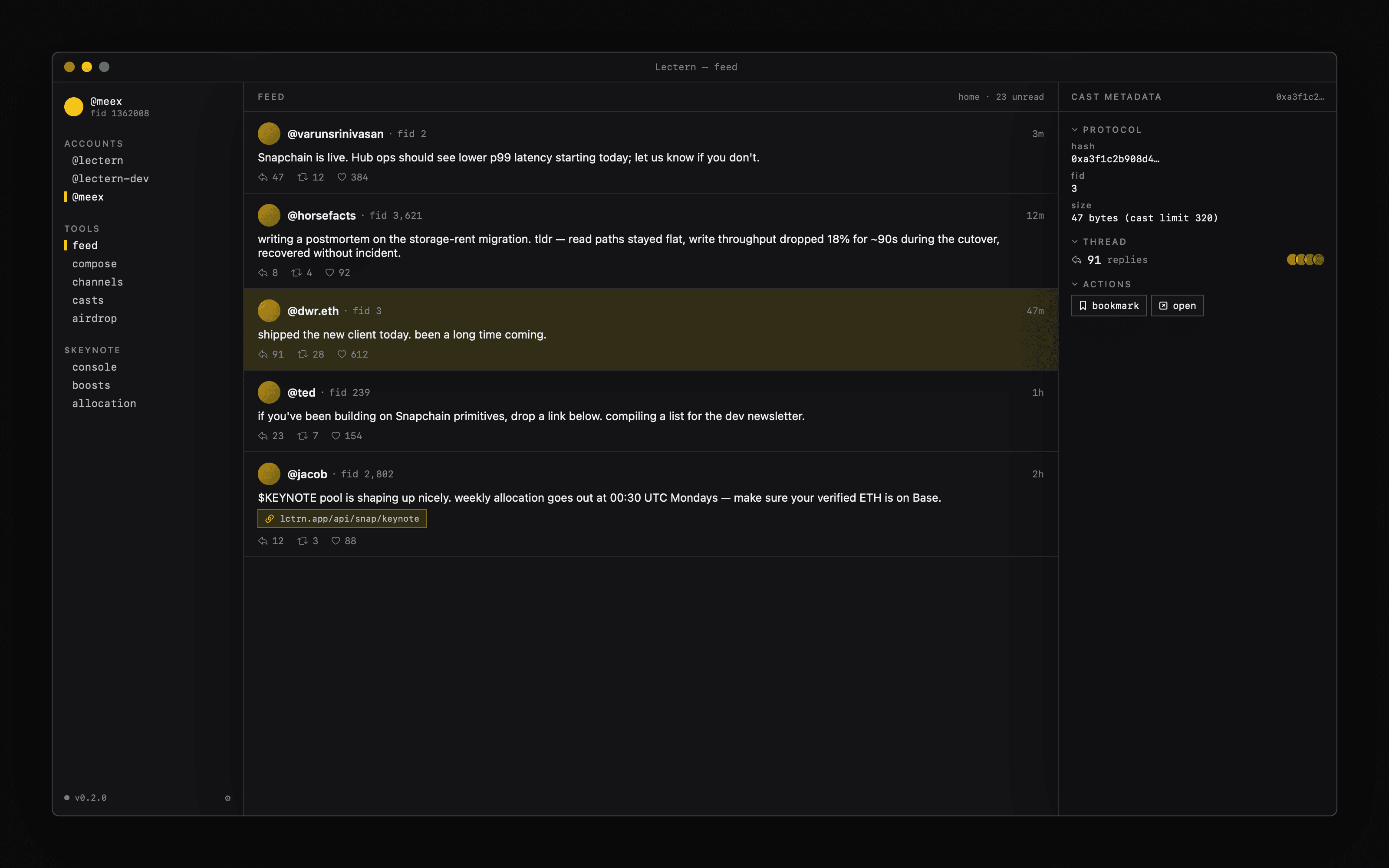
See it move
a captioned walkthrough of lectern.
Sovereign by default
Custody, recovery, and signer keys live in macOS Keychain. EIP-1559 transactions are signed locally with secp256k1. Multi-hub publish for resilience. No analytics, no telemetry, no servers in the middle.
$ lectern keys new <name>
Apple Intelligence, on-chip
Reply ideas, thread TL;DRs, and tone-tweak rewrites run on Apple's on-device Foundation Models — never leave your Mac. Pairs with long casts (up to 10K with Farcaster Pro), threads, and dual-rail Farcaster + XMTP DCs in one inbox.
$ lectern thread-cast <name> --text-file post.md
One subscription, 6.9 USDC/mo
Pro adds the Apple Intelligence helpers, Snap Maker, Follow Manager, themes, unlimited accounts, and the operator console. Free trial 7 days. Pay in USDC from any verified Farcaster address — no card on file, no app-store cut.
$ lectern license verify
What you actually see
every protocol fact, surfaced inline.
No magic. Cast metadata, account provenance, signer inventory, KEYNOTE allocation — all the things Farcaster clients usually hide are first-class views in Lectern.
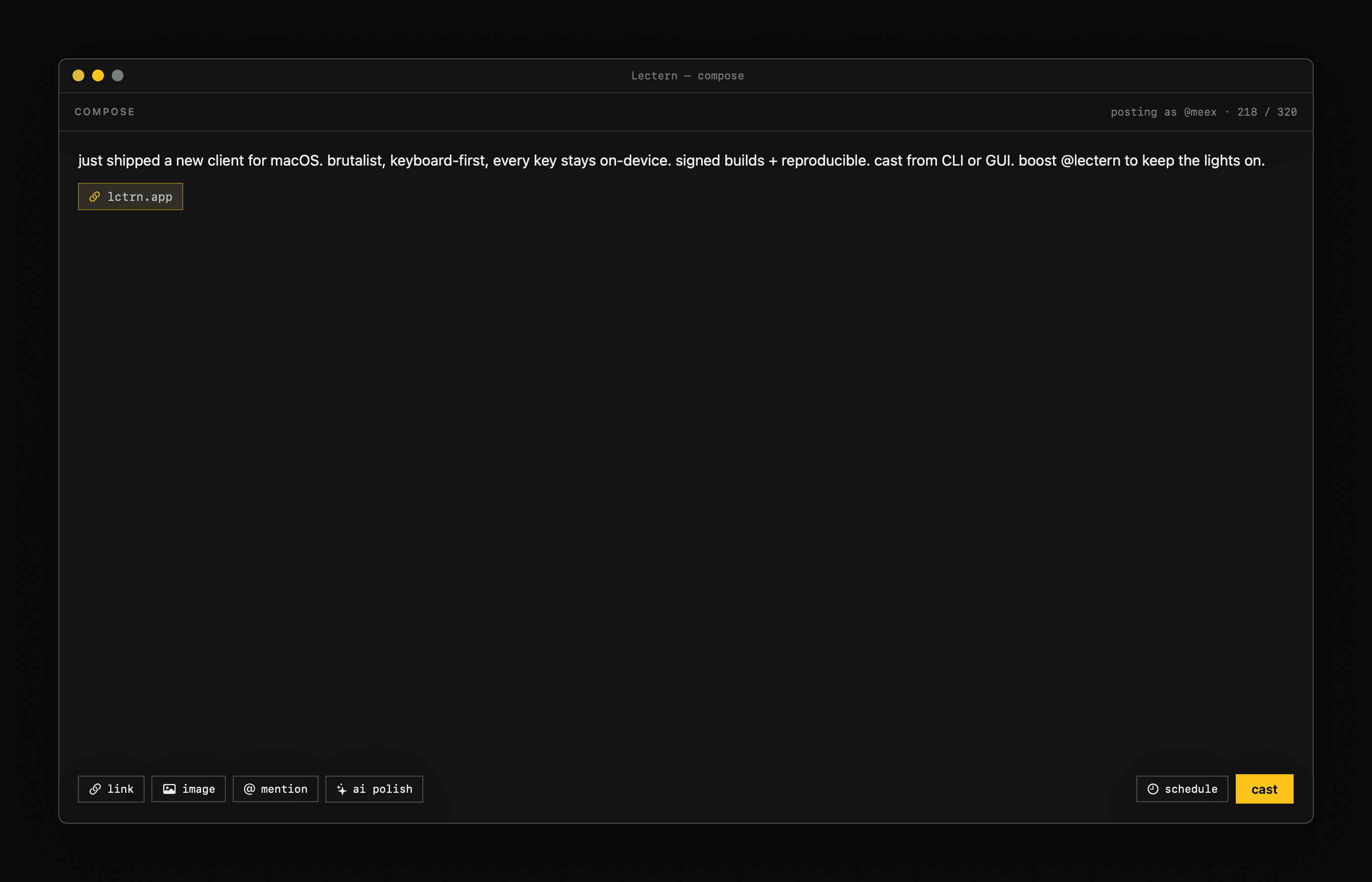
Composer
Write long casts, schedule, AI-polish, link-attach. KEYNOTE boost lives one click away.
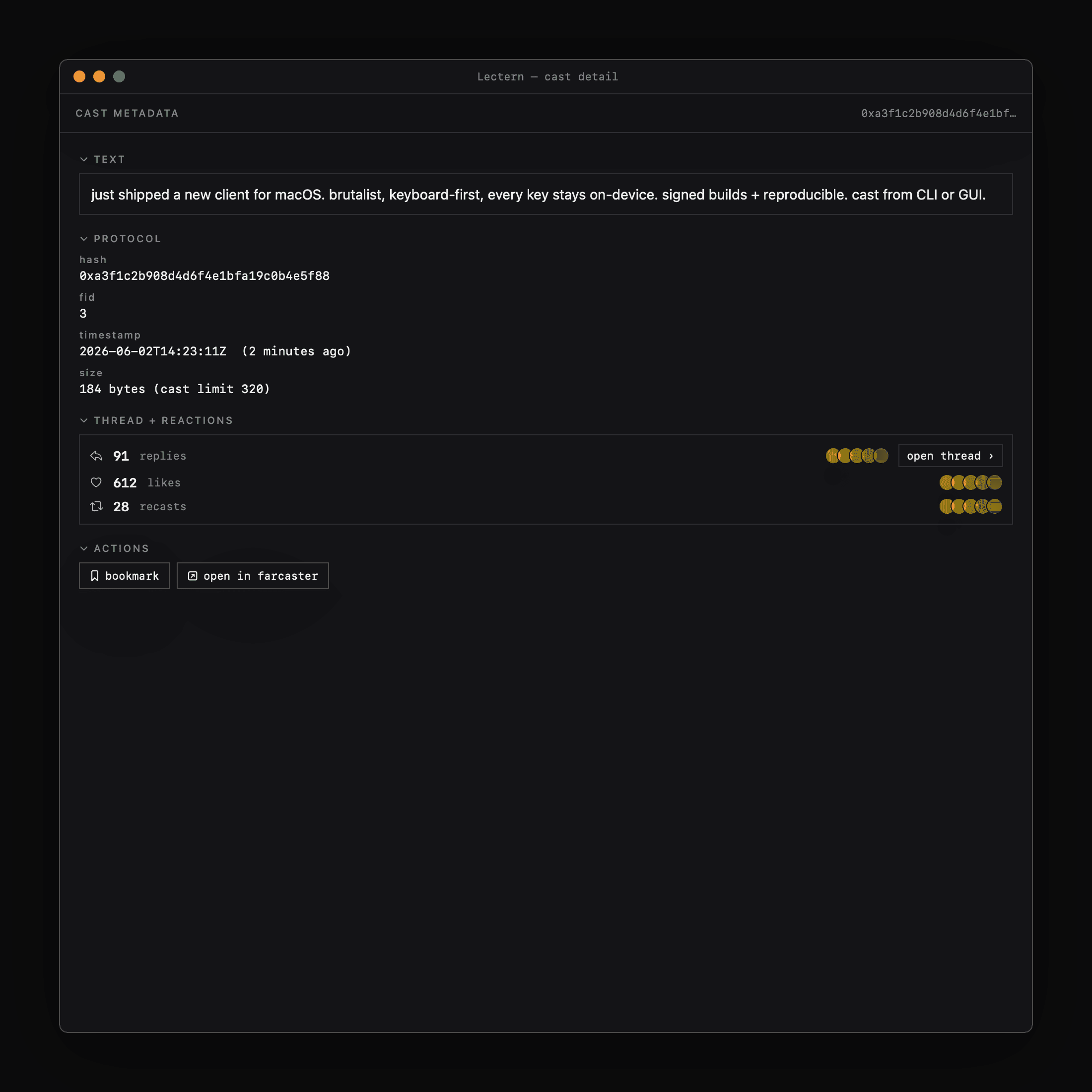
Cast metadata
Hash, FID, timestamp, embed URLs, thread + reaction counts. Every byte on the wire, visible.
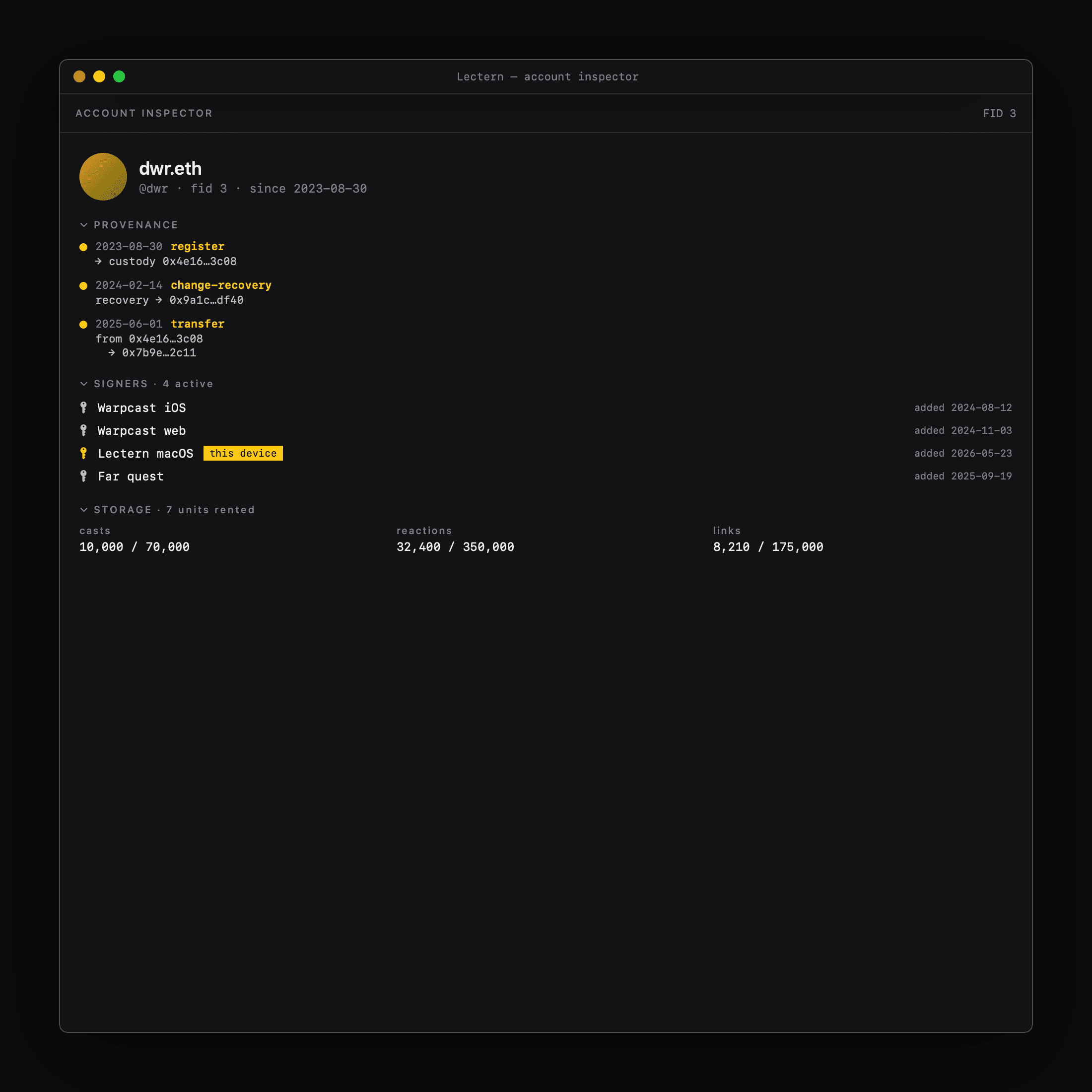
Account inspector
Custody history, fname changes, active signers, storage rented. Trust signals you can verify.
Speaks the protocol natively
For builders managing app accounts
The macOS UI you see is sitting on a CLI you can script.
Every write in the app routes through LecternCore.WriteService — the same chokepoint the CLI uses. Same auth gate. Same signing pipeline. Same multi-hub fan-out. There is no parallel CLI path that can drift away from what the UI does.
CLI is the UI's backbone.
The macOS app and lectern CLI share LecternCore. When the UI casts, follows, or edits a profile, it calls the exact method the CLI does.
# CLI
lectern cast alice "ship it"

# macOS app
WriteService().cast(account: "alice", text: "ship it")

# Same path: same stamp, same auth, same hubs.
Configure accounts as code.
A TOML or JSON file declares your fleet's desired state — fname, profile, follows, blocks, verifications, primary ETH/SOL addresses. Edit, plan, apply.
[accounts.bot-news]
fid = 1234567

[accounts.bot-news.profile]
username = "bot-news"
display = "News Bot"
bio = "Hourly digests."
primary_address_ethereum = "0x..."
Manage drift across accounts.
One config file declares N accounts. plan iterates them all and shows the diff. apply executes. A single bad account does not abort the rest of the fleet.
$ lectern plan -f fleet.toml --json
[{"account":"bot-news","changeCount":0,"isEmpty":true},
 {"account":"bot-events","changeCount":2,"profileChanges":[...]},
 {"account":"bot-trades","error":"Hub timeout"}]
$ echo $?
2  # drift detected (Terraform-shaped exit codes)
Fleet observability built-in.
lectern status --all prints a one-line summary per account. Filter by name prefix. Emit JSON. Pipe to jq. Cron it. Alert on drift.
$ lectern status --all --filter bot-
account                FID  fname        sig stg fol/ers   flags
bot-events         1234567  bot-events     1   1  42/120
bot-news           1234568  bot-news       1   1  18/93
bot-trades         1234569  bot-trades     0   1  88/450   no-signer
45-second walkthrough
For builders running social-product accounts, this is the unlock. Read the builders' guide for the headless / CI runbook.